Cway
Bringing UX into an AI-built B2B platform: two improvements approved by the team, one already shipped, in an 8-week internship.
- (timeline)
- 8 weeks (internship)
- (my role)
- UX / Product Designer, the only designer on the team
- (scope)
- B2B SaaS, PIM, DAM, usability
- (tools)
- Claude Code, GitHub, Linear, Slack, FigJam
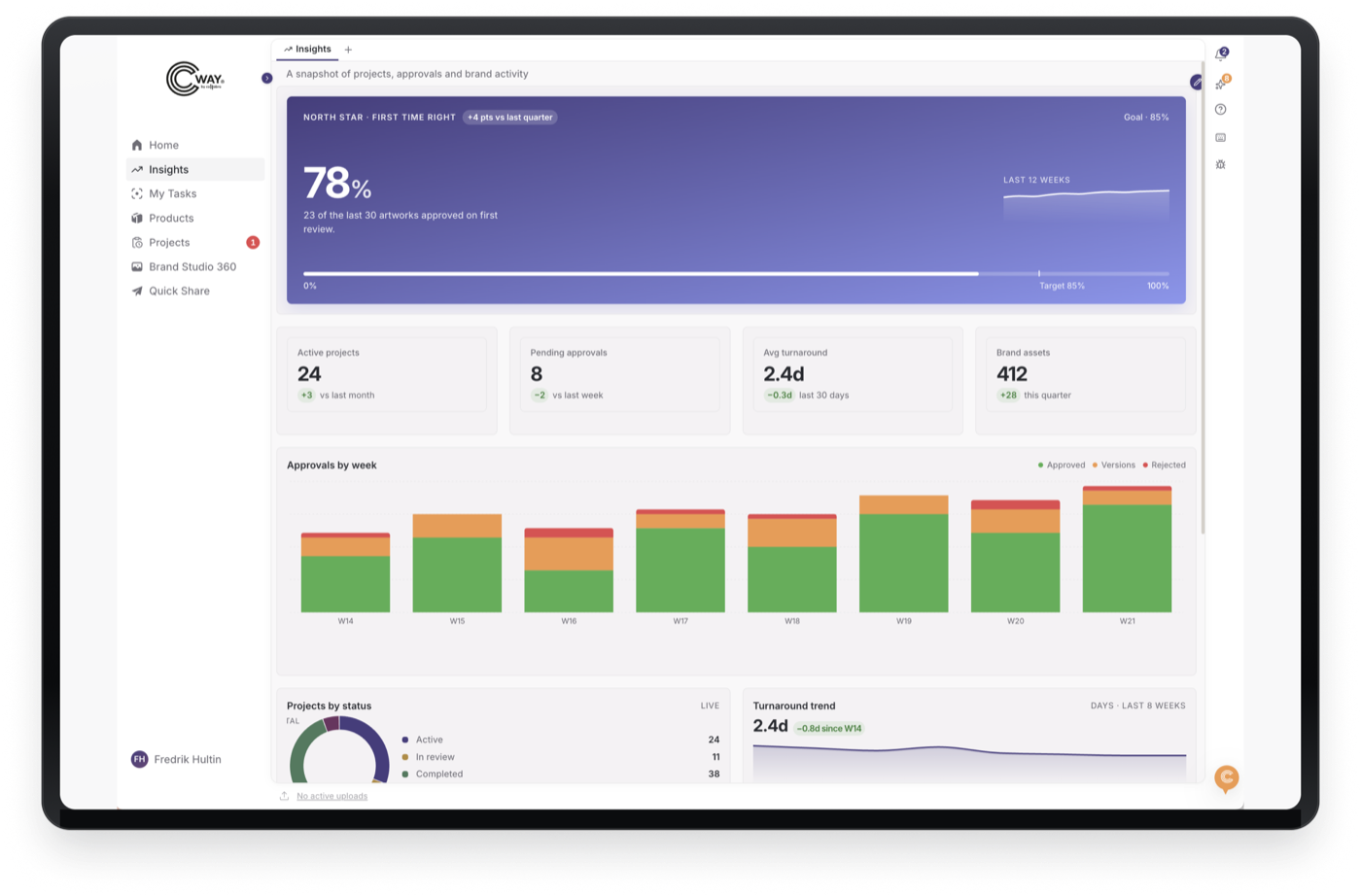
(overview)
The project in short
Cway is a B2B SaaS artwork management platform for the FMCG industry, built by the design agency Collabra AB. Brands like Arla, Paulig and Santa Maria use it to manage packaging artworks. It is moving from an internal tool for graphic designers to an enterprise PIM and DAM platform, and a new version of the product was already being built with Claude when I joined.
2
improvements I proposed were approved by the team
1
already shipped: the notification drawer
8
weeks as the only UX designer on the team
(challenge)
A complex product, already coded
Cway’s new version was already a working product on staging. It is data-heavy and information-dense, with many stakeholders who have different needs and levels of technical familiarity.
- Our primary users, Orderers and Approvers, are busy managers who were hard to reach directly.
- The product was being built with Claude, not Figma, so designs had to live in the codebase.
- Any change had to preserve the logic the developers had already built.
(process)
From research to building in code
I tested the live product and the new version, sat beside Collabra’s graphic designers during their daily work, gathered customer feedback through Sales and the CEO, and mapped competitors. From this I built a persona, user flows, problem statements and an information-architecture audit in Figma. However, when moving on to ideation for Cway’s interface design, I learned that Figma is not used within our team.
As a matter of fact, I trained myself in Claude Design, Code and Cowork and changed how I work:
- Understand product & business
- Define user problems
- Form hypotheses
- Build in the product with Claude Code
- Experience it in the browser
- Refine
- Pull request
- Feedback & iterate
(solution)
Two changes to the product
Notification drawer behind a bell icon
I proposed a dedicated notification drawer so updates stop competing with the work itself. The team approved it and it has shipped.
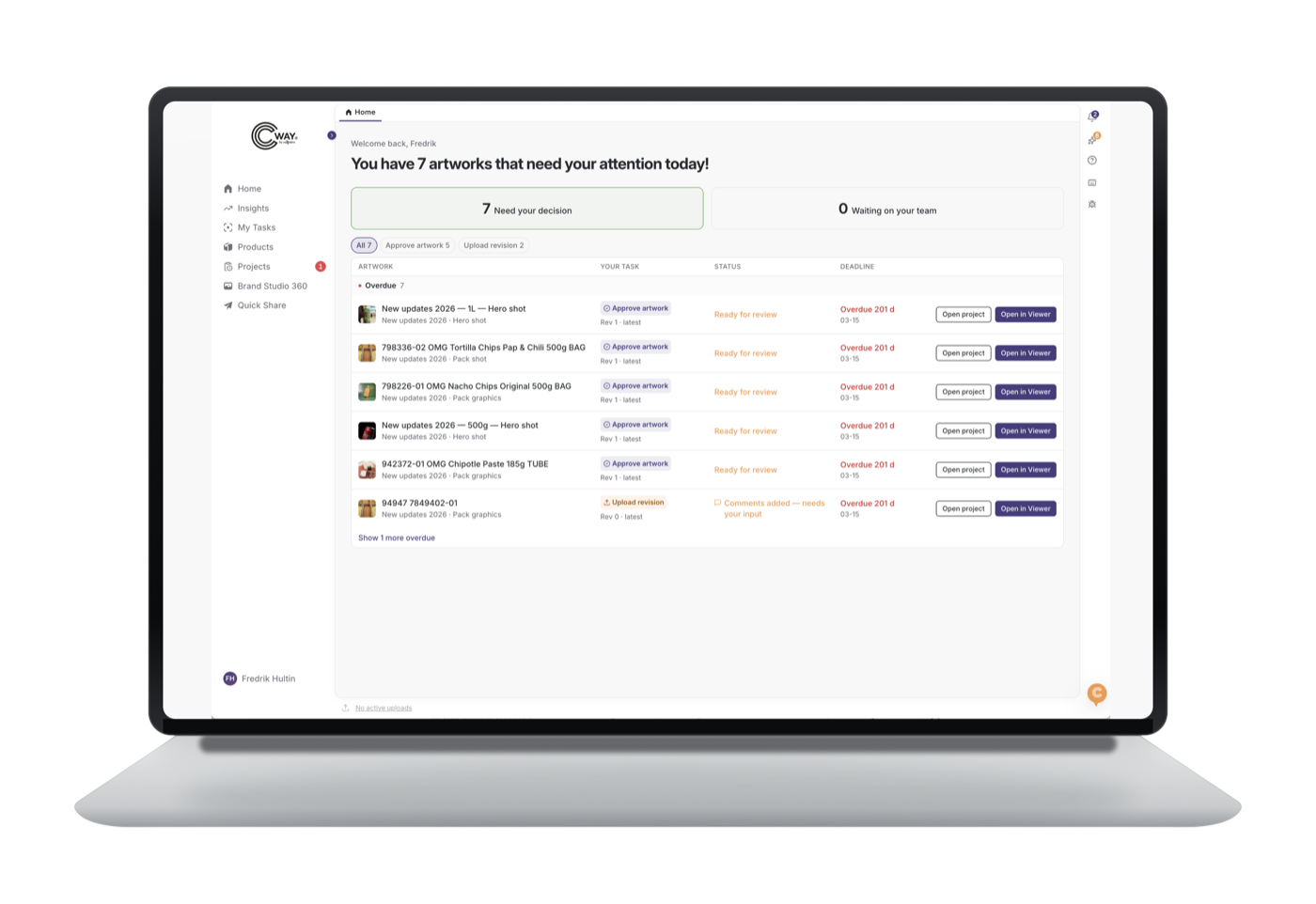
A Home page that shows what needs action
I proposed a landing page that greets users after login with the most important artworks to act on. It was approved and built, and is waiting to be merged into the main codebase.
Beyond these, I documented other redesign suggestions across the artwork lifecycle, from briefing to print release, benchmarked against Esko, 5Flow, Twona and others which will be proposed to add to the team’s backlog.
(impact)
What changed
The notification drawer is live in the product, and the Home page is approved and waiting to be merged.
The team liked how I use whitespace to bring clarity, how fast I learned to iterate on the product from our codebase, and my understanding of the system.
(reflection)
Key takeaways
A process is a tool
Real projects are messier than school projects; the process has to serve the work.
Learn the team’s tools
I learned Claude Code and GitHub to design where the product actually lives.
Keep human judgement
AI speeds up building, but deciding what to build is still the designer’s job.
I’m returning to Cway for my next internship, when real user feedback from the live product will guide the next round of work.